Making Your Second Brain AI-Compatible
I’ve used a mix of GTD (Getting Things Done) and Second Brain for years. GTD for projects and tasks: capture everything to an inbox, process into projects and next actions, review weekly. Second Brain for knowledge management. Two systems that complement each other, one for doing and one for thinking.
I’m great at the capture part of both. Terrible at processing. My inbox kept growing and I never caught up.
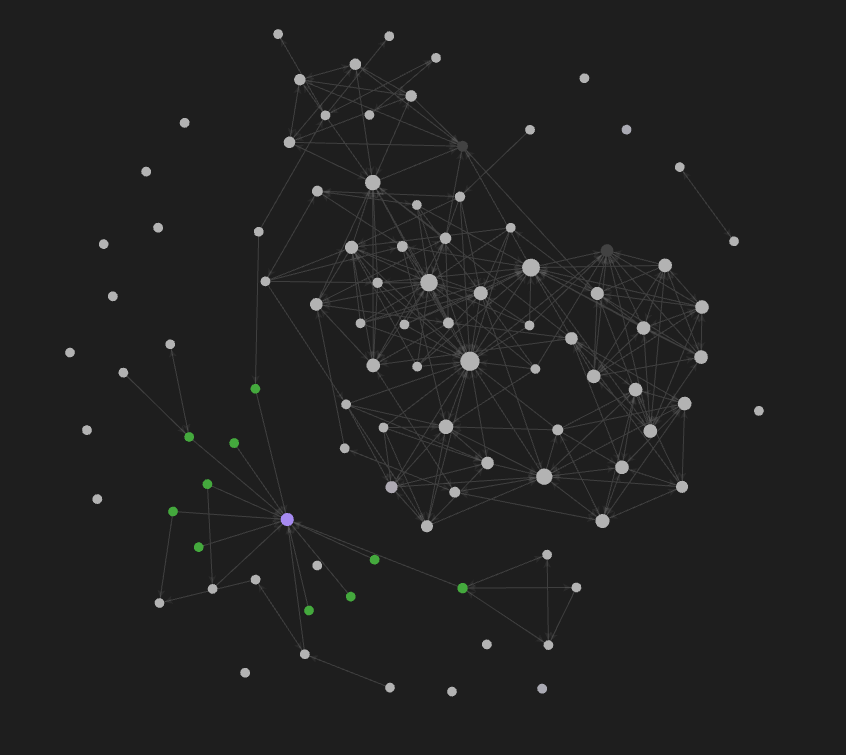
For five years OneNote was where all of it lived. I’d dump ideas, tasks, meeting notes, random thoughts, everything landed in the inbox. If I needed something, I’d search for it. That worked well enough that I didn’t fix it, but search only finds what you’re looking for. It doesn’t show connections you didn’t know existed, doesn’t surface that idea from six months ago that’s relevant to what you’re working on now. My notes were isolated islands, not a connected graph.
The real cost was hundreds of uncategorized items piling up. Each one needed a decision, figuring out if it’s actionable, what project it belongs to, whether it’s reference material or something to act on. Multiply that by hundreds of items and it’s obvious why I kept putting it off.
The Realization
AI assistants are good at exactly what I’m bad at. Systematically processing information, categorizing items, finding patterns, suggesting connections. Claude could help me process that inbox, identify actionable items versus reference material, spot connections between ideas I’d forgotten about. This was the missing piece, an assistant that doesn’t get overwhelmed by hundreds of decisions.
But Claude couldn’t read OneNote. The .one format is proprietary, a black box to external tools. The MCP (Model Context Protocol) ecosystem was growing with servers for all kinds of integrations, but nothing could parse OneNote reliably. My second brain was locked in a format only I could access, which meant AI couldn’t help with the part I actually needed help with.
I needed to move everything to a format AI could read natively.
Obsidian and the Markdown Advantage
Obsidian stores notes as plain markdown files in a local folder. No proprietary format, no cloud dependency, just .md files you can open with any text editor.
LLMs handle markdown exceptionally well, so much of their training data is markdown: documentation, README files, technical writing. When your notes are markdown, AI works with them natively. No translation layer, no parsing issues, the format AI thinks in is the format your notes live in.
But it’s not just about readability. Markdown with the right structure gives AI something to work with.
Front matter is YAML metadata at the top of a file. Tags, status, priority, dates, all in a structured format AI understands instantly:
---
tags: [project, area/open-source]
status: active
priority: 2
due-date: 2025-12-31
---
AI can scan front matter across files to find what’s relevant before reading full content. “Show me all active projects with priority 1” becomes answerable because the metadata is structured, not buried in prose.
Obsidian also uses wiki-style [[links]] to connect notes, creating a graph of relationships between ideas. When I mention a project in my daily notes and link to it, that connection exists in the structure. Plugins like Dataview let you query notes like a database, filtering by front matter, tags, or links.
The file system becomes a queryable knowledge base. That’s the foundation, but AI still needs a way in.
Connecting AI to the Vault
The bridge is an MCP server for Obsidian. This gives Claude direct access to my vault, not just file reading but actual navigation:
- Traverse links without reading every file - Claude follows the relationship graph I’ve built without loading all content
- Query using DataView - Find all active projects, list tasks with specific context tags, filter by priority
- Understand structure - AI sees my vault the way I organize it, not as a pile of text files
Claude doesn’t just read files, it navigates my knowledge graph the same way I would but faster and more systematically.
The GTD Dashboard
One markdown file ties everything together. Dataview queries that aggregate my entire system:
## 📂 Active Projects

```dataview
TABLE WITHOUT ID file.link AS "Project",
  filter(file.tags, (t) => contains(t, "area/"))[0] AS "Area"
FROM #project WHERE status = "active"
SORT priority ASC
```
Returns all projects with status: active in front matter, sorted by priority

## 🎯 Next Actions by Context

### 🖥️ Computer
```dataview
TASK WHERE !completed AND contains(text, "@computer")
GROUP BY file.link
```
Returns all uncompleted tasks containing @computer, grouped by source project

### 📞 Calls
```dataview
TASK WHERE !completed AND contains(text, "@calls")
GROUP BY file.link
```
Returns all uncompleted tasks containing @calls, grouped by project

## 💡 Someday/Maybe Ideas

```dataview
TABLE WITHOUT ID file.link as "File", L.text as "Idea"
FROM #someday-maybe FLATTEN file.lists as L
WHERE contains(L.text, "#someday-maybe")
```
Returns ideas tagged #someday-maybe from across all project files, aggregated in one view
AI reads this one file and instantly sees my whole system: active projects across work, personal, and other areas, next actions organized by context, someday/maybe ideas from across files aggregated in one view.
When I ask “what should I work on?” Claude reads that file, sees my @computer tasks grouped by project, gives context-aware suggestions. When I say “add this idea to my blog backlog,” it knows where blog post ideas live. It’s a table of contents Claude reads first then dives deeper as needed.
Teaching AI the Conventions
MCP gives access, but Claude doesn’t automatically know how I organize things. An AGENTS.md file in my vault explains the system:
# Vault Instructions for AI Agents

## Core Operating Principle: Search First, Act Autonomously

MANDATORY WORKFLOW - Execute on EVERY user request:
1. PAUSE  → Do not respond immediately
2. SEARCH → Query vault for relevant context
3. READ   → Review discovered files for existing knowledge
4. ACT    → Use available tools autonomously
5. RESPOND → Provide answer based on vault knowledge

## Core Principle: User Creates Content

AI agents should focus on structure and organization, NOT content creation.
- ✅ DO: Add/update tags, create links, fix formatting, organize files, run queries
- ❌ DON'T: Write tasks, notes, or content unless explicitly requested

### Processing The Inbox (Daily Notes)

Daily notes serve as the inbox. Files are named `YYYY-MM-DD.md` and contain brain dumps - ideas, notes, meeting summaries, random thoughts. Processing requires analysis and user approval.

**Processing Workflow:**

1. DISCOVER  → Find all daily notes (YYYY-MM-DD.md files)
2. READ      → Read each note's contents
3. ANALYZE   → Understand each item and determine its nature
4. PROPOSE   → Suggest destination for each item
5. CLARIFY   → Ask user if purpose is unclear
6. APPROVE   → Get user approval before making changes
7. EXECUTE   → Move content to approved destinations
8. CLEANUP   → Delete processed daily notes
The key sections: how AI should approach every interaction (search the vault first), what it should and shouldn’t do (structure not content), specific workflows like inbox processing.
The Transformation
My daily notes still pile up with random captures, same as they did in OneNote. The difference is what happens next.
“Process my inbox” and Claude reads through the daily notes, identifies what’s actionable versus reference material, proposes where each item should go. I approve or redirect, Claude executes. It won’t change my words, just moves content to the right place. The weekly review I’d procrastinate on now takes a conversation.
Claude handles the systematic processing I’m bad at. I make the judgment calls on anything ambiguous. The capture-heavy, process-light pattern that plagued my GTD system for years finally has a counterweight.
I was inspired by Claudesidian, a vault starter kit for Claude Code. The idea isn’t that AI replaces your thinking, it helps you actually use the thinking you’ve already captured.
If your notes are stuck in a proprietary format like mine were, AI can’t help with the hard parts. Moving to markdown took effort but now I actually process my inbox instead of watching it grow.